This AMI provides a SonarQubeTM server on Amazon Linux 2.
Overview
- Amazon Linux 2 AMI (HVM)
- SonarqQube 7.9 LTS
- nginx 1.12
Web Server
Once the instance is running, please enter the public DNS provided by AWS (IPv4 Public IP) into your browser. We prepared SSL/TLS so you can access to top page using https://.
When you access SonarQube top page, you will receive certificate error like this image below. It is due to the fact that the setting for SSL/TLS on Web server is self-signed dummy certificate.
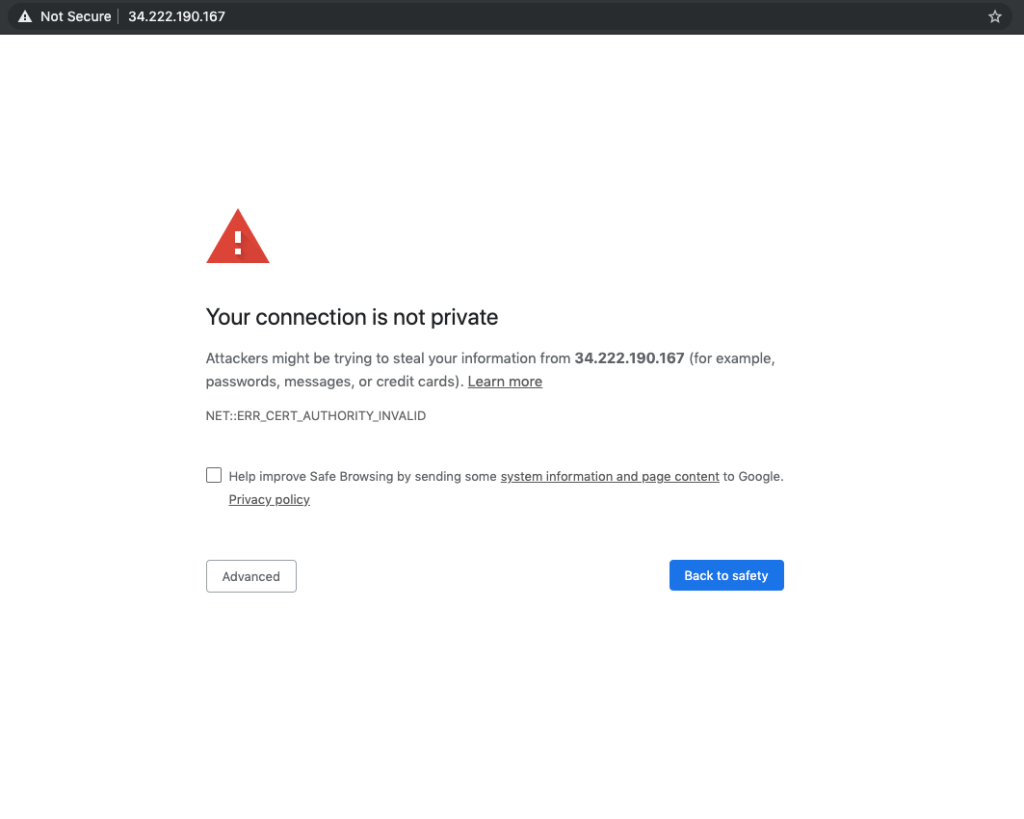
For simplicity, click on the Advanced button, and click Proceed to {ip-address} (unsafe) to access SonarQube. If you want to set up a CA signed certificate, please refer to the following document for Step 2: Obtain a CA-signed Certificate.
Once you proceed, you will see SonarQube wizard as below.


SonarQube initial password
You can find SonarQube initial password from EC2 management console System Log.
- Go to Amazon EC2 console at https://console.aws.amazon.com/ec2/.
- Chose your Instance and Click Actions → Monitor and troubleshoot → Get System log.


You can also SSH into your instance and find the login credential using the following command.
$ cat /home/ec2-user/credentials
////////////////////credentials info////////////////////
--- SonarQube
----- User: admin
----- Password : kVsxPJpd
--- PostgreSQL
----- User: sonarqube
----- Password : LbBKexIJoVOAOUlBFoyX ////////////////////////////////////////////////////////
Input initial password, “kVsxPJpd” in this case, and click “Log in”.
You will see top page as below.

Change admin password
Click right top “A” icon, and click “My Account” as below.

You will see admin user’s profile page, and click “Security” tab.

Input your old password and new password, and click the “Change password” button.

Create a new proct and start analysis
Click right top “+” button, and click “Create new project” as below.

Input your “project key” and “Display name”, and click “Set Up

Generate SonarQube token in the next page, input your token key and click “Generate” as below.

Select project’s language and OS on your local pc, and click “Download” to download SonarQube Scanner application to your local.

macOS and Linux
After downloading the SonarQube Scanner zip file, extract into /usr/local for example.
$ sudo unzip -d /usr/local sonar-scanner-cli-*.zip
Go to your project root and run sonnar-scanner. You can copy command line parameters shown below.

$ cd YOUR_PROJECT_ROOT

$ /usr/local/sonar-scanner-*/bin/sonar-scanner \
 -Dsonar.projectKey=Awesome-project \
 -Dsonar.sources=. \
 -Dsonar.host.url=http://34.223.105.29 \
 -Dsonar.login=a5c2b351940ab87932783718c4c3d50892769c0c
Windows
After downloading the SonarQube Scanner zip file, extract into c:\sonar-scanner for example.
Go to your project root and run sonnar-scanner. You can copy command line parameters shown below.

cd YOUR_PROJECT_ROOT“c:\sonar-scanner\bin\sonar-scanner.bat” ^
 -D”sonar.projectKey=Awesome-project” ^
 -D”sonar.sources=.” ^
 -D”sonar.host.url=http://34.223.105.29" ^
 -D”sonar.login=a5c2b351940ab87932783718c4c3d50892769c0c”
NOTE: As we installed self-signed dummy SSL certificate for test purpose, we have to make Sonar Scanner client to trust our self-signed dummy certificate, or use non-ssl(http) url for `-Dsonar.host.url` option. We strongly recommend to register static domain and setup trusted certificate in production. For SSL configuration, please refer to Tutorial: Configure SSL/TLS on Amazon Linux 2.
For more details about SonarQube and SonarQube Scanner, please refer to SonarQube Documentation.
Reference
1. Tutorial: Install a LAMP Web Server on Amazon Linux 2
2. Tutorial: Configure SSL/TLS on Amazon Linux 2
3. Amazon EC2 Instance IP Addressing
4. SonarQube Documentation
Troubleshoot
Q. I launched a SonarQube instance on AWS using SonarQube (ami-0036773d8c82f256f) from AWS Marketplace. The EC2 instance is running and I can SSH into the host. However, when I browse to the IP address on the web, I receive \”Your connection is not secure\” error. When I accept risk and continue, I then receive 502 Bad Gateway error. How can I get past this? How do I verify SonarQube is running on the EC2 instance?
Follow these three steps to troubleshoot the issue:
1. 502 Bad Gateway occurs when SonarQube is not fully started. Please allow some time for the software to load and then refresh the browser.
2. To check if the SonarQube is running, please execute the following command:
sudo systemctl status sonarqube 3. If the system is running, you will be able to see the following status:
Active: active (running)
/system.slice/sonarqube.service
4. You will then see sonarqube service details similar to the following log:
/system.slice/sonarqube.service
           ├─6329 /usr/bin/java -Xms32m -Xmx32m -Djava.net.preferIPv4Stack=true -jar /usr/local/sonarqube/lib/sonar-application-7.9.6.jar
           ├─6347 /usr/lib/jvm/java-11-openjdk-11.0.13.0.8-1.amzn2.0.3.x86_64/bin/java -XX:+UseConcMarkSweepGC -XX:CMSInitiatingOccupancyFraction=75 -XX:+Use...
           └─6595 /usr/lib/jvm/java-11-openjdk-11.0.13.0.8-1.amzn2.0.3.x86_64/bin/java -Djava.awt.headless=true -Dfile.encoding=UTF-8 -Djava.io.tmpdir=/usr/l...
Please note that all 3 (three) processes above need to be started to connect to the web.If you only see 2 (two), you will get a bad gateway error.